
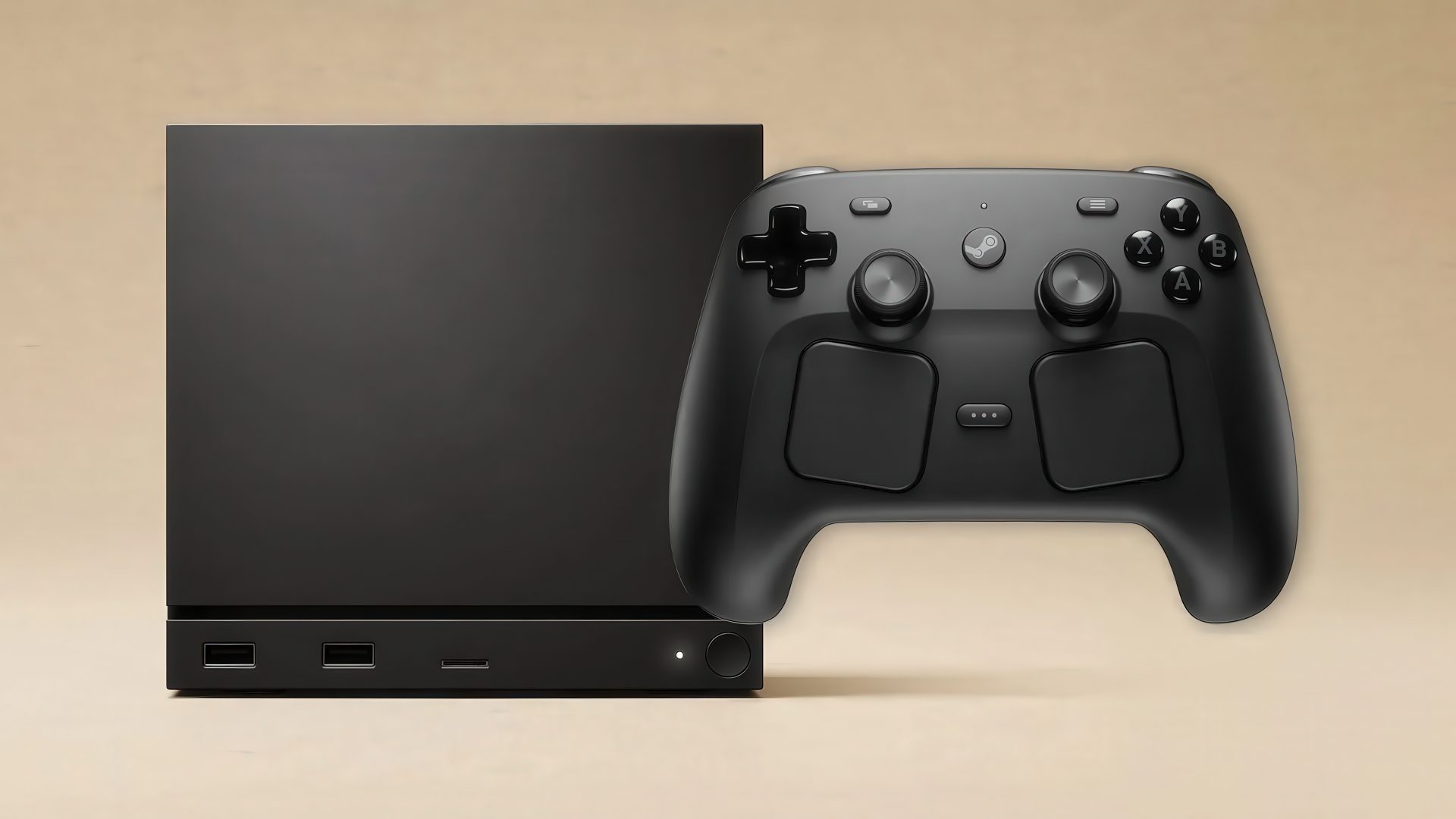
Customize the entire device experience… even the boot screen.
0 Twitter Telegram Whatsapp Facebook Valve is preparing to take a bold step into the world of custom gaming hardware with the Steam Machine, a device that is closer to a true gaming platform than anything else. It can be considered a small computer that operates on a “plug-and-play” system, providing a user experience that is easy and smooth, very similar to the PS5, although it comes with slightly less power. The surprise lies in the price, as it exceeds the cost of Sony's device by hundreds of dollars, raising a logical question: why would anyone consider buying it?
Despite the apparent similarities between the PS5 and the Steam Machine, the essential difference between them lies in their usage. If your goal is to play games with consistent performance and minimal complexity, the PS5 remains the more logical choice. Meanwhile, the Steam Machine offers a wide range of additional capabilities that open the door to experiences that Sony's platform cannot provide. Here are some of the key features that it uniquely offers.
The most important thing to know about the Steam Machine is that it is essentially a personal computer, not a traditional gaming console. While its SteamOS interface gives it a console appearance, it actually operates on the Linux system. Once you activate desktop mode, you can use it just like any other regular computer: browse the internet, download applications, send emails, or even connect a keyboard and mouse to turn it into a fully equipped workstation. The experience has proven that this setup works smoothly and without significant issues.
However, it should not be considered a complete substitute for a professional computer dedicated to video editing or music production. It is not designed for such heavy tasks, and it will not replace your personal computer unless your needs are limited to browsing, writing emails, and watching YouTube. Even running some services like Netflix through the browser may require some additional steps. On the other hand, the Linux system gives you ample room for modification and experimentation in gaming, a feature that becomes clearer in the next point.
One of the most common questions from interested parties is: can mods be installed on games? The short answer is: yes.
Thanks to its reliance on Linux, you can use the Steam Machine like any other regular computer and access well-known sites like NexusMods to download mods directly to the desktop. While running them inside SteamOS requires some extra steps, there are plenty of tutorials and guides available online, especially since the Steam Deck, which relies on the same system, has been around for years and enjoys wide community support.
But that doesn’t mean the process is easy all the time. Modifying games can be complex, becoming more complicated if you’re not familiar with the Linux environment. Even users with long experience in modding The Elder Scrolls games on Windows may face difficulties; it took hours of attempts to mod Skyrim on the Steam Machine before giving up, while modding Morrowind went much more smoothly despite the lack of a dedicated guide for the device.
So, if you plan to delve into the world of mods via Steam Machine for the first time, it's best to start with games that have an active community and detailed tutorials to avoid a lot of frustration and technical problems.
Anyone who loves alternative gaming devices will tell you it’s a real treasure for retro gaming enthusiasts. Personally, I still use the Razer Edge 2023 from time to time as a dedicated handheld for emulators. However, the Steam Machine has far greater potential for those looking to gather their entire library in one place.
Since it is essentially a personal computer, you can theoretically install any emulation software you prefer on it and archive your digital collection of classic games to enjoy them all from just one device.
But in reality, it's not without its challenges. Just like with modding games, the world of emulators can seem daunting for beginners, as you'll find yourself navigating long technical guides and Reddit posts to solve a small problem or a specific setup, and it becomes even more challenging if you have no prior experience with the Linux system.
The bright side is that the Steam Machine makes the setup process easier.